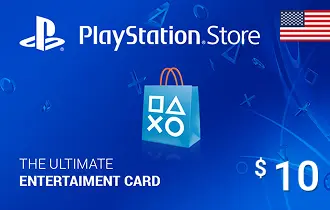
PlayStation Store USA $10
Get PlayStation Store USA cards from Ar-Pay and unlock exclusive games, add-ons, and multiplayer experiences on your PlayStation console.
USA
$10




PlayStation Store US $10 Gift Card: Your Gateway to Digital Entertainment
Unlock a world of digital entertainment with the PlayStation Store US $10 Gift Card from ar-pay.com. This digital code provides a quick and secure way to add funds to your PlayStation Network (PSN) wallet, giving you immediate access to a vast array of content on the PlayStation Store. Whether you're looking to grab a new indie title, purchase in-game currency, or contribute towards a PlayStation Plus subscription, this card offers unparalleled flexibility.
Designed for the modern gamer, the $10 PlayStation Store US Gift Card is compatible with all US PSN accounts and can be redeemed on PS5, PS4, PlayStation App, or via the web. It's the perfect solution for managing your gaming budget, making small, precise purchases, or as a thoughtful gift for any PlayStation enthusiast. Enjoy instant delivery directly to your email, ensuring you can dive into your favorite games without delay.
How to Redeem Your $10 PlayStation Store US Gift Card
Redeeming your $10 PlayStation Store US Gift Card is straightforward, allowing you to quickly access your funds and content. Follow these steps based on your preferred platform:
On a PS5 Console
- Go to Settings.
- Select Users and Accounts.
- Choose Account > Payment and Subscriptions > Redeem Codes.
- Enter your 12-digit code.
- Confirm to add the balance to your wallet or apply directly to a game purchase.
On a PS4 Console
- Go to the PlayStation Store from the home screen.
- Scroll down to Redeem Codes.
- Enter the 12-digit code.
- Confirm to apply the funds to your account.
On the PlayStation App
- Open the app and log in.
- Tap the Menu (≡) and select Redeem Code.
- Enter the code manually or scan using your phone’s camera.
- Confirm redemption.
On the Website
- Visit https://store.playstation.com/redeem.
- Log into your US-based PSN account.
- Enter your 12-digit code.
- Confirm to add funds or redeem content.
Terms and Conditions
For full terms and legal details, visit: https://www.playstation.com/en-gb/legal/sen-voucher-code-terms-and-conditions/