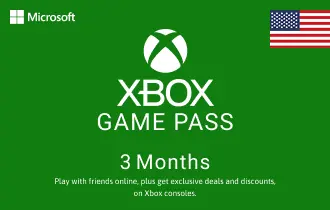
Xbox Game Pass USA 3 Month

4.6

Xbox Game Pass USA 3 Month

Enjoy a vast library of games with ARPay's Xbox Game Pass USA Gift Cards – endless entertainment at your fingertips.

USA

3 Month Subscription

1

For any questions contact support

SSLPCi DSS Complant

PayPalMastercardVisa

About Xbox Game Pass USA 3 Month Gift Card

Xbox Game Pass USA is a video game brand created and owned by Microsoft. It consists of five video game consoles, as well as applications (games), streaming service Xbox Cloud Gaming, online services such as the Xbox network and Xbox Game Pass, and the development arm Xbox Game Studios.

Xbox consoles are home video game consoles that allow users to play video games, watch movies, and listen to music. They can also be used to connect to the internet and play online multiplayer games.

Xbox consoles are available in a variety of models, each with its own features and capabilities. The current generation of Xbox consoles is the Xbox Series X and Xbox Series S.

How to redeem

Redeem a code on Xbox One, Xbox Series X and Xbox Series S:

  1. Sign in to your Xbox console (make sure you’re signed in with the Microsoft account you want to redeem the code with).
  2. From the Home screen, select and open the Store app. (If the Store app is not displayed, go to My games & apps, select Apps, and select the Store app from there).
  3. In the Store app, move the cursor left or press the View button to open the side menu then select redeem.
  4. Enter the 25- character code, and then follow the prompts.
No, Xbox Game Pass USA Gift Cardss do not expire. Xbox Game Pass USA Gift Cardss are prepaid cards that can be used to purchase games, movies, TV shows, apps, and more from the Xbox Store. They can also be used to subscribe to Xbox Live Gold or Xbox Game Pass. Once you purchase an Xbox Game Pass USA Gift Cards, it will never expire. You can redeem it at any time to add funds to your Xbox account. The funds in your Xbox account will never expire either. However, there are a few exceptions to this rule. Promotional Xbox Game Pass USA Gift Cardss, such as those that are given away as prizes or rewards, may have expiration dates. These expiration dates are typically listed on the gift card itself. If you have an Xbox Game Pass USA Gift Cards that you are not sure if it has expired, you can contact Xbox support for assistance. They will be able to tell you if the gift card is still valid and how to redeem it.

Xbox Game Pass USA Gift Cardss are region-specific, meaning that they are only valid in the region where they were purchased. If you try to redeem an Xbox Game Pass USA Gift Cards in a different region, it will not work and you will need to contact Xbox support for assistance. Here is a list of the regions where Xbox Game Pass USA Gift Cardss are valid: North America, South America, Europe, Asia, and Australia. If you are unsure of the region of an Xbox Game Pass USA Gift Cards, you can contact the retailer where it was purchased for assistance.

Here's how to redeem an Xbox Game Pass USA Gift Cards: On your Xbox console: Go to the Store tab. Select Redeem a code. Enter the code from your Xbox Game Pass USA Gift Cards. Click Redeem. On the Xbox website: Go to the Xbox website: https://www.xbox.com/en-US/. Sign in to your account. Click on your avatar in the top right corner. Select Account. Select Payment & billing. Select Redeem a code. Enter the code from your Xbox Game Pass USA Gift Cards. Click Redeem. On the Xbox app: Open the Xbox app on your phone or tablet. Sign in to your account. Tap on your profile picture in the top left corner. Select Payment & billing. Select Redeem a code. Enter the code from your Xbox Game Pass USA Gift Cards. Tap Redeem. Once you've redeemed the Xbox Game Pass USA Gift Cards, the funds will be added to your account. You can use them to make purchases from the Xbox Store, subscribe to Xbox Live Gold or Xbox Game Pass, and more.

To check your Xbox Game Pass USA Gift Cards balance, here are a few methods: On your Xbox console: Go to the Store tab. Select My account. Choose Payment & billing. Your balance will be displayed under Redeem a code. On the Xbox website: Go to https://www.xbox.com/en-US/. Sign in to your account. Click on your avatar in the top right corner. Select Account. Choose Payment & billing. Your balance will be displayed under Redeem a code. On the Xbox app: Open the Xbox app on your mobile device. Sign in to your account. Tap on your profile picture in the top left corner. Select Payment & billing. Your balance will be displayed under Redeem a code. Contact Xbox support: Go to https://support.xbox.com/en-US/. Select Contact us. Choose Gift cards. Select I need help with my gift card balance. Fill out and submit the form. Xbox support will communicate your balance to you.

You can use an Xbox Game Pass USA Gift Cards to purchase a variety of items from the Xbox Store, including: Games: There are a wide variety of games available in the Xbox Store. Movies: You can also purchase movies from the Xbox Store. You can rent or buy movies, and you can even watch them offline. TV shows: The Xbox Store also has a selection of TV shows that you can purchase or rent. Apps: There are a variety of apps available in the Xbox Store, from games to productivity apps. Subscriptions: You can also use an Xbox Game Pass USA Gift Cards to purchase subscriptions to Xbox Live Gold or Xbox Game Pass. Xbox Live Gold gives you access to online multiplayer gaming, as well as free games every month. You can also use an Xbox Game Pass USA Gift Cards to purchase physical goods from select retailers, such as GameStop and Target.

You can't add an Xbox Game Pass USA Gift Cards to your Wallet. Xbox Game Pass USA Gift Cardss are not physical cards that you can add to your Wallet. They are codes that you redeem on the Xbox website or the Xbox app. To redeem an Xbox Game Pass USA Gift Cards, you will need to: Go to the Xbox website or the Xbox app. Sign in to your account. Click on the Store tab. Select Redeem a code. Enter the code from your Xbox Game Pass USA Gift Cards. Click Redeem. Your Xbox Game Pass USA Gift Cards will be added to your account and you will be able to use it to purchase items from the Xbox Store.

How can I contact Xbox Game Pass USA Gift Cards Customer Support? you can follow these steps: Visit support.xbox.com. Scroll down to the bottom of the page and click on "Contact Us" under the "Support Resources" section. On the Contact Us page, select the category that best fits your issue. Since you have a question about Xbox Game Pass USA Gift Cardss, choose the "Purchasing & Billing" category. Choose the specific subcategory that relates to your issue, such as "Xbox Digital Gift Card" or "Xbox Game Pass USA Gift Cards Redemption." You will be provided with options to get in touch with Xbox Customer Support. This may include live chat, phone support, or submitting a support ticket.

No, Xbox Game Pass USA Gift Cardss do not require you to provide additional payment information. These prepaid cards can be used to make purchases on the Xbox Store without the need for credit or debit card details. When redeeming an Xbox Game Pass USA Gift Cards on the Xbox website or app, you may be prompted to sign in to your account for verification purposes. Simply enter the code from your gift card to add the funds to your account. No further payment information is required. The balance from the gift card can then be used to buy items from the Xbox Store.

You can buy Xbox Game Pass USA Gift Cards vouchers with a PayPal account in a few ways: Purchase from a retailer that accepts PayPal: Retailers like Amazon, Walmart, and Target sell Xbox Game Pass USA Gift Cards vouchers online and accept PayPal as payment. Buy from a digital gift card retailer: Websites such as GiftCards.com, Raise, and CardCash sell Xbox Game Pass USA Gift Cards vouchers and accept PayPal. Purchase directly from Microsoft: You can buy Xbox Game Pass USA Gift Cards vouchers from Microsoft's website using PayPal. Once purchased, you will receive a code to redeem on the Xbox website or app.

Yes, you can send an Xbox Game Pass USA Gift Cards voucher as a gift. There are a few different ways to do this: Buy the gift card online and have it emailed to the recipient. This is the most convenient way to send an Xbox Game Pass USA Gift Cards voucher as a gift. Simply purchase the gift card from a reputable website, such as Amazon, Walmart, or Target, and have it emailed to the recipient. The recipient will then be able to redeem the gift card on the Xbox website or the Xbox app. Buy the gift card in physical form and mail it to the recipient. If you want to give the recipient a physical gift card, you can purchase one from a participating retailer, such as GameStop, Best Buy, or Target. Simply select the amount of UC you want to purchase and have the gift card mailed to the recipient. The recipient will then be able to redeem the gift card on the Xbox website or the Xbox app. Create a custom Xbox Game Pass USA Gift Cards voucher. If you want to give the recipient a more personal gift, you can create a custom Xbox Game Pass USA Gift Cards voucher. There are a few websites that allow you to do this, such as GiftCards.com and Raise. Simply select the amount of UC you want to purchase and add a personal message. The website will then generate a custom Xbox Game Pass USA Gift Cards voucher that you can print out or email to the recipient. No matter how you choose to send the Xbox Game Pass USA Gift Cards voucher, be sure to include the recipient's Player ID so that they can redeem it on the Xbox website or the Xbox app.

No, you cannot use a Xbox Game Pass USA Gift Cards for family sharing purchases. Family sharing is a feature that allows you to share your Xbox games, apps, and subscriptions with up to five family members. However, it does not allow you to share gift cards. If you want to use a Xbox Game Pass USA Gift Cards to purchase games for a family member, you will need to redeem the gift card on their account. You can do this by having them enter the code from the gift card on the Xbox website or the Xbox app. Once the gift card has been redeemed, the funds will be added to their account and they will be able to use them to purchase games from the Xbox Store.

An Xbox Game Pass USA Gift Cards allows you to purchase a range of items including games, movies, TV shows, apps, and subscriptions. You can explore a vast selection of games, including popular titles and indie gems. Additionally, you can rent or buy movies and enjoy them offline. The Xbox Store also offers TV shows that you can rent or purchase and watch on various devices. You can use the gift card for apps and in-app purchases, enhancing your overall gaming experience. Furthermore, you can use the card to subscribe to Xbox Live Gold for online multiplayer gaming and free monthly games, or Xbox Game Pass for unlimited access to a library of over 100 games. Some retailers also accept Xbox Game Pass USA Gift Cardss for physical goods, although availability may vary.

To use an Xbox Game Pass USA Gift Cards, you can follow these steps: Sign in to your Xbox account. You can sign in to your account on the Xbox website, the Xbox app, or on your Xbox console. Go to the Store tab. Select Redeem a code. Enter the code from your Xbox Game Pass USA Gift Cards. The code is usually a 25-digit code that is printed on the back of the gift card. Click Redeem. The funds from your Xbox Game Pass USA Gift Cards will be added to your account and you will be able to use them to purchase items from the Xbox Store. Here are some additional things to keep in mind when redeeming an Xbox Game Pass USA Gift Cards: You can only redeem a Card once. You cannot redeem a Card that has already been redeemed. You cannot redeem a Card that is not in the correct currency. You cannot redeem a Card that is expired.

You will need an Xbox account to redeem your Xbox Game Pass USA Gift Cards. You can create an Xbox account for free on the Xbox website or the Xbox app. To create an Xbox account, you will need to provide the following information: A username A password An email address A phone number Once you have created an Xbox account, you can redeem your Xbox Game Pass USA Gift Cards by following the steps below: Sign in to your Xbox account on the Xbox website, the Xbox app, or on your Xbox console. Go to the Store tab. Select Redeem a code. Enter the code from your Xbox Game Pass USA Gift Cards. Click Redeem. The funds from your Xbox Game Pass USA Gift Cards will be added to your account and you will be able to use them to purchase items from the Xbox Store.