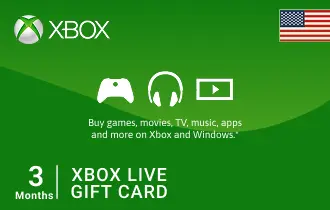
Xbox Live USA 3 Month
Experience the best of gaming with ARPay's Xbox Live Gold USA Gift Cards – exclusive content and multiplayer fun.
USA
3 Month




Three Months of Uninterrupted Play with Xbox Live USA 3 Months Gift Card
Extend your gaming horizons with the Xbox Live USA 3 Month Gift Card, available now at ar-pay. This convenient digital card grants you three full months of Xbox Live Gold membership, providing continuous access to the vibrant world of online multiplayer.
Immerse yourself in competitive matches, team up with friends, and discover new adventures without interruption.
With the Xbox Live USA 3 Month Gift Card, you can enjoy an extended period of premium Xbox Live Gold benefits, ensuring your gaming experience remains top-tier.
This card is perfect for those who want to commit to a longer period of online play and maximize their value.
Dive deeper into your favorite titles, explore new releases, and take advantage of all the perks that come with being an Xbox Live Gold member.
It’s a hassle-free way to maintain your subscription and keep the fun going.
Key Features and Benefits:
- 3 Months of Xbox Live Gold: Enjoy prolonged access to online multiplayer, free games, and exclusive member discounts.
- Instant Digital Delivery: Receive your code instantly via email, ready for immediate activation.
- Consistent Gaming: Ensures uninterrupted access to your favorite online games and community features.
- Great Value: A cost-effective way to secure your Xbox Live Gold membership for a quarter.
- Secure and Convenient: Purchase safely from ar-pay.com, your trusted source for digital gift cards.
How to Redeem Your Xbox Live USA Gift Card
Redeeming your Xbox Live USA Gift Card is quick and easy, allowing you to access your new content without delay. Follow these simple steps to add funds to your Microsoft account:
On Xbox Console:
- Power on your Xbox console and sign in to the Xbox account you want to redeem the gift card on.
- Navigate to the "Store" or "Microsoft Store" on your Xbox dashboard.
- In the store, scroll down or navigate to the "Use a code" or "Redeem code" option. It may be located in a different section depending on your console's dashboard layout.
- Select the "Use a code" or "Redeem code" option, and a new screen will appear.
- On the new screen, you will be prompted to enter the unique code from the back of your Xbox gift card or the digital code that you purchased from ar-pay.com. Use your controller or on-screen keyboard to input the code.
Online (via Microsoft Website):
- Go to https://www.microsoft.com/redeem.
- Carefully reveal your 25-character code and enter it into the provided field.
- Follow the on-screen prompts to complete the redemption process.
Using Xbox App for Windows:
- Press the Start button, and then enter "Xbox" into the search bar.
- Choose the Xbox app from the results to open the app.
- Select your gamerpic in the top-left corner, and then select "Settings."
- Select "Redeem" under "Redeem a code."
- Enter the 25-character code, select "Next," and then follow the prompts.
Terms and Conditions
- Validity: Xbox Live USA Gift Cards have no expiration date and remain valid until fully used.
- Redemption: Redeemable only on Microsoft Store, Xbox console, and online via the associated Microsoft account. Valid only in the USA if purchased in the USA.
- Refunds/Exchanges: Not refundable or exchangeable for cash unless required by law. Once redeemed, funds are non-transferable.
- Restrictions: Region-locked (must be redeemed in the country of purchase). Cannot be resold or transferred after redemption. Cannot be used to purchase certain subscriptions or services.
- Liability: Microsoft is not responsible for lost, stolen, or unauthorized use of gift cards. Redemption is final.
- Customer Support: Support provided via the official Microsoft support portal: https://support.microsoft.com/en-us/giftcards.
- Disclaimers: Microsoft reserves the right to amend or suspend the use of gift cards at its discretion.
For full terms, please visit microsoft.com/cardterms.