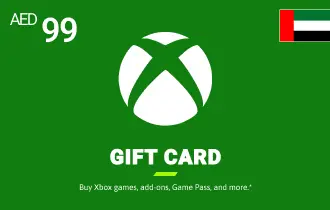
Xbox UAE 99 AED
Buy Xbox UAE Gift Cards from AR-Pay for instant access to games and subscriptions. Enjoy secure, seamless transactions.
United Arab Emirates
99 AED
$ 26.91




The Essential Top-Up: Xbox UAE 99 AED Gift Card
The Xbox UAE 99 AED Gift Card is the versatile, mid-range option designed for the active, everyday gamer. This nominal is perfectly suited for covering a single month of a premium subscription like Xbox Game Pass Ultimate, purchasing a new Season Pass for a live-service game, or acquiring significant downloadable content (DLC) to expand your existing library. It strikes the ideal balance between budget control and access to premium content, making it one of the most popular choices for regular top-ups.
This 99 AED card ensures you never miss out on the latest content drops or subscription renewals. It's the smart way to manage your monthly gaming expenses, providing a dedicated fund for your digital needs without the risk of overspending associated with linked bank accounts. Simply purchase, redeem, and instantly refresh your Microsoft account balance to keep your gaming momentum going strong.
Key Features of the 99 AED Card:
- Subscription Renewal: Easily cover the cost of a monthly Xbox Game Pass or Live Gold subscription.
- Content Focused: Ideal for purchasing mid-range DLC, Season Passes, or a bundle of indie games.
- Budget Friendly: A perfect prepaid amount for managing regular, recurring gaming expenses.
- Fast Access: Digital code delivered instantly to your ARPAY account for immediate use.
The 99 AED card is your reliable source for continuous content access, ensuring your account is always funded for the next big update or subscription cycle on the UAE Microsoft Store.
How to Redeem Your Xbox Gift Card
- Redeeming your Xbox gift card is quick and easy. Follow these steps based on your preferred device:
On Xbox Console (Xbox One, Xbox Series X/S):
- Sign in to your Xbox console with the Microsoft account you wish to redeem the code with.
- From the Home screen, select and open the Store app. (If not visible, go to My games & apps, select Apps, then find the Store app.)
- In the Store app, move the cursor left or press the View button to open the side menu, then select Redeem.
- Enter the 25-character code, and then follow the on-screen instructions to complete the redemption.
Using an Android or iOS Mobile Device:
- Go to the link: https://redeem.microsoft.com.
- Sign in with your Microsoft account.
- Enter the 25-character code, and then follow the instructions.
- On Windows 10/11 Device:
- Sign in to your Windows device with the Microsoft account you want to redeem the code with.
- Press the Start button, type "store," then select Microsoft Store from the results.
- In the Microsoft Store, select More … (usually three dots) > Redeem a code.
- Enter the 25-character code, and then follow the instructions.
Using the Xbox App for Windows:
- Press the Start button, then enter "Xbox" in the search box.
- Choose the Xbox app from the results to open it.
- Select your gamerpicture, then select Settings.
- Select Redeem under "Redeem a code."
- Enter the 25-character code, select Next, and then follow the instructions.
- Using the Xbox Mobile App:
- Go to your profile by selecting your profile picture.
- Go to Settings by selecting the gear icon.
- Select Redeem a code.
- Enter the 25-character code, select Next, and then follow the instructions.
Terms and Conditions
- Please review the following terms and conditions related to your Xbox UAE Gift Card purchase:
- Issuer: The Xbox Gift Card is issued by Microsoft Corporation.
- Redemption: Redeemable via a Microsoft account registered in the UAE for use on Xbox, Windows Store, and Microsoft Store (KSA region).
- Non-Refundable: Gift cards are non-refundable and not redeemable for cash, except where legally required.
- Non-Transferable: Once redeemed, the balance is tied to a specific Microsoft account and is non-transferable.
- No Expiration: Standard Microsoft/Xbox gift cards do not expire and carry no inactivity or service fees. Promotional balances may have separate expiration terms.
- Usage: The entire gift card amount is added to your Microsoft account balance upon redemption. It cannot be partially redeemed. The balance can be used for multiple purchases on the Microsoft Store.
- Liability: Microsoft is not responsible for lost, stolen, or unauthorized use of cards. Customers are responsible for securing their accounts.
- Fraud & Abuse: Microsoft reserves the right to suspend accounts, cancel balances, or refuse service in cases of fraud, abuse, or policy violations.
- VAT: VAT is applied at the point of redemption by Microsoft based on the redeemed product type and customer location, not at the point of sale.
- Microsoft Services Agreement: Usage is subject to the Microsoft Services Agreement.
- All general terms and conditions mentioned in the category description apply to the Xbox UAE Gift Card 50 SAR. For full details, please refer to microsoft.com/cardterms.