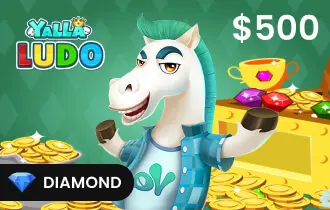
Yalla Ludo USD 500 Diamond

4.8

Yalla Ludo USD 500 Diamond

Enjoy endless fun with ARPay's Yalla Ludo Gift Cards – your ticket to exciting games and friendly competition.

USD 500 Diamond

$ 500

1

For any questions contact support

SSLPCi DSS Complant

PayPalMastercardVisa

Command Yalla Ludo with 500 USD Diamonds

For the most dedicated and ambitious Yalla Ludo players, the 500 USD Diamond Gift Card represents the highest tier of in-game advantage. 

This premium recharge grants a massive supply of Diamonds, giving you immediate access to VIP privileges, rare collectibles, exclusive avatars, and limitless upgrades that shape your unique presence in the game.

Delivered instantly through ar-pay.com, your purchase guarantees both convenience and security—so you can dominate the board without delays. 

With this powerhouse card, you’re not just playing Yalla Ludo—you’re shaping its world on your own terms.

Why the 500 USD Gift Card is the Ultimate Choice

  • Maximum In-Game Wealth: Build an inventory that stands out with the largest pool of Diamonds available.
  • Full VIP Access: Experience premium features that set you apart from the rest.
  • Exclusive Collectibles: Secure rare avatars, dice, and luxury in-game items.
  • Strategic Freedom: Customize your gameplay without restrictions, whether casual or competitive.
  • Global Play: Redeem worldwide and connect with Yalla Ludo’s massive international community.

Perfect for Elite Gamers & Leaders

This card is designed for those who demand the absolute best Yalla Ludo has to offer. Ideal for professional competitors, collectors of exclusive items, or players who thrive on social recognition within the global community, the 500 USD Diamonds ensure you’ll never have to compromise on strategy, personalization, or status.

With Yalla Ludo’s engaging features, such as real-time voice chat, diverse modes like Classic, Master, Quick, and Magic, plus private room creation, your Diamonds make every interaction richer and more dynamic. This card isn’t just an upgrade; it’s a declaration of your dominance.

How to Redeem Yalla Ludo Gift Card?

  1. Locate the 12-digit PIN code.
  2. Go to Yalla website Through any internet browser on your PC or Smartphone.
  3. Enter the Yalla Ludo ID of the account you want to recharge.
  4. Choose the Recharge Amount that matches your Gift Card’s value.
  5. Enter your Gift Card’s 12-digit PIN code in the box shown.
  6. Click Redeem. And Enjoy!

Terms and Conditions

  • These cards are non-refundable, non-returnable, and non-exchangeable.
  • They are transferable in the sense that the PIN can be shared and redeemed by another user.
  • Reselling above face value or via unauthorized channels is strictly prohibited.
  • Most codes are delivered instantly via email or account. Delays beyond this period may require support.
  • Expiration period: Typical expiry is 6 months for Diamonds and variable (commonly up to 12 months) depending on the vendor.
  • Review the full Yalla Ludo Privacy Policy.

Own the Game with Yalla Ludo 500 USD Diamonds

Take your place at the top with the Yalla Ludo Diamond Gift Card – 500 USD. Secure VIP status, collect rare items, and define your legacy in the world’s most social Ludo game. Buy now on ar-pay for instant delivery and total gaming power.

Yes, Yalla Ludo gift cards expire after 1 year from the date of purchase. This means that you can only use the gift card to purchase diamonds or other items in the Yalla Ludo app for 1 year after you purchase it. If you have a Yalla Ludo gift card that is about to expire, you can extend its expiration date by making a recharge of at least 100 diamonds. This will extend the expiration date of the gift card by another 1 year. You can check the expiration date of your Yalla Ludo gift card by logging into your account on the Yalla Ludo website or app. The expiration date will be displayed on the gift card details page.

Yalla Ludo gift cards are region-specific and cannot be used across different regions. Each gift card is only valid for specific regions, including MENA, India, or Global. Using a gift card outside its designated region will result in the card not being accepted. The barcode cannot be scanned, and the gift card value will not be added to your account. If you are traveling to a different region, you can purchase a Yalla Ludo gift card in the local currency of that region. Additionally, Yalla Ludo gift cards can be used for international calls, but the international calling rates will apply.

To redeem a Yalla Ludo Gift Card, follow these steps: Visit the Yalla Ludo website or app and sign in to your account. Access the "Gift Cards" tab. Enter the gift card code in the designated field. Click on the "Redeem" button. The amount on the gift card will be added to your account balance. Alternatively, you can redeem your Yalla Ludo Gift Card using the Yalla Ludo app: Open the app and go to your profile. Select the "Gift Cards" tab. Enter the gift card code. Press the "Redeem" button. The gift card amount will be credited to your account balance.

When it comes to checking your Yalla Ludo Gift Card balance, you have two convenient options available. The first method is logging into your Yalla Ludo account either on their website or through their app. Once inside, you can easily navigate to the gift card details page where you will find all the necessary information including your available balance. You can reach out to Yalla Ludo's customer support team by dialing +971 6 583 6301. Simply provide them with your unique code, and they will assist you in retrieving your current balance.

You can use a Yalla Ludo Gift Card to purchase diamonds or other items in the Yalla Ludo app. The Yalla Ludo app is a multiplayer gaming app that allows you to play games like Ludo, Snakes & Ladders, Carrom, Pool, and Chess with your friends and family. You can use your Yalla Ludo Gift Card to purchase diamonds, which are the in-game currency of the Yalla Ludo app. Diamonds can be used to purchase various items in the Yalla Ludo app, such as: Themes - Avatars - Power-ups - Gifts - Subscriptions -Tournaments - Virtual goods

Unfortunately, Yalla Ludo Gift Cards cannot be added to Wallet, the digital wallet that stores payment methods such as credit cards and debit cards. Yalla Ludo Gift Cards are not considered payment methods and therefore cannot be added to Wallet. To use a Yalla Ludo Gift Card, you will need to redeem it through the Yalla Ludo app or website. To redeem a Yalla Ludo Gift Card through the app, follow these steps: Open the Yalla Ludo app. Tap on the "Profile" icon located in the top left corner. Go to the "Gift Cards" tab. Enter the gift card code in the designated field. Tap on the "Redeem" button.

To contact Yalla Ludo Gift Card Customer Support: Visit the Yalla Ludo website or the platform where you purchased the gift card. Look for the "Contact Us" or "Support" page. Click on the "Contact Us" option to access the customer support contact details. Choose a convenient contact method such as a contact form, email, or phone. Provide clear details about your issue or inquiry. Wait for a response via email or phone call from Yalla Ludo Gift Card Customer Support. Check your email regularly for any updates or responses.

No, Yalla Ludo Gift Card will not ask you to add additional payment details. The cards are prepaid that are used to purchase diamonds or other items in the app. When you redeem the card, you will simply need to provide the card code. The card code is a 16-digit code that is printed on the back of the gift card. Once you have provided the card code, the amount on the card will be added to your account balance. You can redeem your Yalla Ludo Gift Card at any participating retailer, through the Yalla Ludo app, or by calling the customer service.

There are a few ways to purchase Yalla Ludo Gift Card vouchers with PayPal: Online retailers: SEAGM, G2A, and Eneba accept PayPal as a payment method. Physical retailers: Some STC stores and supermarkets accept PayPal and sell Yalla Ludo Gift Card vouchers. Third-party sellers on marketplaces: Platforms like eBay and Amazon have third-party sellers offering Yalla Ludo Gift Card vouchers. When purchasing online, ensure the retailer is reputable and the gift cards are genuine.

You can send a Yalla Ludo Gift Card voucher as a gift in a few simple ways. Buy the gift card online and have it emailed to the recipient: Purchase the gift card from an online retailer that offers email delivery. The recipient will receive the gift card via email, along with a redemption code. They can then redeem the gift card at any participating retailer or through the Yalla Ludo app. Buy the gift card at a physical retailer and have it gift-wrapped: Visit a participating retailer, purchase the gift card, and ask for it to be gift-wrapped. The gift card will be beautifully presented in a gift box, ready to be given to the recipient. Create your own gift card: For a personalized touch, download a printable Yalla Ludo Gift Card template from the internet. Fill in the recipient's name, the amount, and add a personal message. Print it out and give it to the recipient as a unique gift. Choose the method that suits you best to send the Yalla Ludo Gift Card as a thoughtful present.

No, you cannot use a Yalla Ludo Gift Card for Family Sharing purchases. Family Sharing is a feature that allows you to share your Apple ID purchases with up to five family members. However, Yalla Ludo Gift Cards are not Apple ID purchases. They are prepaid cards that are used to purchase diamonds or other items in the Yalla Ludo app. If you want to use your Gift Card to purchase something for a family member, you can simply give them the gift card code and they can redeem it themselves. You can also use the gift card to purchase something for yourself and then share the item with your family members.

You can use a Yalla Ludo Gift Card to purchase diamonds or other items in the Yalla Ludo app. Here are some of the things you can buy with a Yalla Ludo Gift Card: Diamonds: Diamonds are the in-game currency of the Yalla Ludo app. You can use diamonds to purchase various items in the app, such as: Themes - Avatars - Power-ups - Gifts -Tournaments - Virtual goods Subscriptions: You can use diamonds to purchase subscriptions to various features in the Yalla Ludo app, such as the ability to play unlimited games or the ability to chat with your friends in real time.

To use a Yalla Ludo Gift Card, follow the steps: Find a participating retailer or use it online through the Yalla Ludo website or app. Redeem your gift card by providing the 16-digit code on the back. Make your purchase at any participating retailer. Here's how to redeem your card: At a retailer: Present the gift card to the cashier, who will scan the barcode and add the amount to your balance. Through the Yalla Ludo app: go to "Profile," select "Gift Cards," enter the card code, and click "Redeem". By calling +971 6 583 6301, provide the gift card code to the representative, and they will redeem it.

When it comes to enjoying the exciting world of Yalla Ludo, redeeming your Yalla Ludo gift card opens up a whole new realm of possibilities. Whether you want to play with friends or challenge opponents online, the Yalla Ludo gift card provides a convenient way to access all the fun and features. With the card, you have the flexibility to redeem it at participating retailers in the Middle East and North Africa region. Simply visit one of the designated retailers and present your gift card to make a purchase or recharge your Yalla Ludo account.

Yes, Yalla Ludo gift cards expire after 1 year from the date of purchase. This means that you can only use the gift card to purchase diamonds or other items in the Yalla Ludo app for 1 year after you purchase it. If you have a Yalla Ludo gift card that is about to expire, you can extend its expiration date by making a recharge of at least 100 diamonds. This will extend the expiration date of the gift card by another 1 year. You can check the expiration date of your Yalla Ludo gift card by logging into your account on the Yalla Ludo website or app. The expiration date will be displayed on the gift card details page.

Yalla Ludo gift cards are region-specific and cannot be used across different regions. Each gift card is only valid for specific regions, including MENA, India, or Global. Using a gift card outside its designated region will result in the card not being accepted. The barcode cannot be scanned, and the gift card value will not be added to your account. If you are traveling to a different region, you can purchase a Yalla Ludo gift card in the local currency of that region. Additionally, Yalla Ludo gift cards can be used for international calls, but the international calling rates will apply.

To redeem a Yalla Ludo Gift Card, follow these steps: Visit the Yalla Ludo website or app and sign in to your account. Access the "Gift Cards" tab. Enter the gift card code in the designated field. Click on the "Redeem" button. The amount on the gift card will be added to your account balance. Alternatively, you can redeem your Yalla Ludo Gift Card using the Yalla Ludo app: Open the app and go to your profile. Select the "Gift Cards" tab. Enter the gift card code. Press the "Redeem" button. The gift card amount will be credited to your account balance.

When it comes to checking your Yalla Ludo Gift Card balance, you have two convenient options available. The first method is logging into your Yalla Ludo account either on their website or through their app. Once inside, you can easily navigate to the gift card details page where you will find all the necessary information including your available balance. You can reach out to Yalla Ludo's customer support team by dialing +971 6 583 6301. Simply provide them with your unique code, and they will assist you in retrieving your current balance.

You can use a Yalla Ludo Gift Card to purchase diamonds or other items in the Yalla Ludo app. The Yalla Ludo app is a multiplayer gaming app that allows you to play games like Ludo, Snakes & Ladders, Carrom, Pool, and Chess with your friends and family. You can use your Yalla Ludo Gift Card to purchase diamonds, which are the in-game currency of the Yalla Ludo app. Diamonds can be used to purchase various items in the Yalla Ludo app, such as: Themes - Avatars - Power-ups - Gifts - Subscriptions -Tournaments - Virtual goods

Unfortunately, Yalla Ludo Gift Cards cannot be added to Wallet, the digital wallet that stores payment methods such as credit cards and debit cards. Yalla Ludo Gift Cards are not considered payment methods and therefore cannot be added to Wallet. To use a Yalla Ludo Gift Card, you will need to redeem it through the Yalla Ludo app or website. To redeem a Yalla Ludo Gift Card through the app, follow these steps: Open the Yalla Ludo app. Tap on the "Profile" icon located in the top left corner. Go to the "Gift Cards" tab. Enter the gift card code in the designated field. Tap on the "Redeem" button.

To contact Yalla Ludo Gift Card Customer Support: Visit the Yalla Ludo website or the platform where you purchased the gift card. Look for the "Contact Us" or "Support" page. Click on the "Contact Us" option to access the customer support contact details. Choose a convenient contact method such as a contact form, email, or phone. Provide clear details about your issue or inquiry. Wait for a response via email or phone call from Yalla Ludo Gift Card Customer Support. Check your email regularly for any updates or responses.

No, Yalla Ludo Gift Card will not ask you to add additional payment details. The cards are prepaid that are used to purchase diamonds or other items in the app. When you redeem the card, you will simply need to provide the card code. The card code is a 16-digit code that is printed on the back of the gift card. Once you have provided the card code, the amount on the card will be added to your account balance. You can redeem your Yalla Ludo Gift Card at any participating retailer, through the Yalla Ludo app, or by calling the customer service.

There are a few ways to purchase Yalla Ludo Gift Card vouchers with PayPal: Online retailers: SEAGM, G2A, and Eneba accept PayPal as a payment method. Physical retailers: Some STC stores and supermarkets accept PayPal and sell Yalla Ludo Gift Card vouchers. Third-party sellers on marketplaces: Platforms like eBay and Amazon have third-party sellers offering Yalla Ludo Gift Card vouchers. When purchasing online, ensure the retailer is reputable and the gift cards are genuine.

You can send a Yalla Ludo Gift Card voucher as a gift in a few simple ways. Buy the gift card online and have it emailed to the recipient: Purchase the gift card from an online retailer that offers email delivery. The recipient will receive the gift card via email, along with a redemption code. They can then redeem the gift card at any participating retailer or through the Yalla Ludo app. Buy the gift card at a physical retailer and have it gift-wrapped: Visit a participating retailer, purchase the gift card, and ask for it to be gift-wrapped. The gift card will be beautifully presented in a gift box, ready to be given to the recipient. Create your own gift card: For a personalized touch, download a printable Yalla Ludo Gift Card template from the internet. Fill in the recipient's name, the amount, and add a personal message. Print it out and give it to the recipient as a unique gift. Choose the method that suits you best to send the Yalla Ludo Gift Card as a thoughtful present.

No, you cannot use a Yalla Ludo Gift Card for Family Sharing purchases. Family Sharing is a feature that allows you to share your Apple ID purchases with up to five family members. However, Yalla Ludo Gift Cards are not Apple ID purchases. They are prepaid cards that are used to purchase diamonds or other items in the Yalla Ludo app. If you want to use your Gift Card to purchase something for a family member, you can simply give them the gift card code and they can redeem it themselves. You can also use the gift card to purchase something for yourself and then share the item with your family members.

You can use a Yalla Ludo Gift Card to purchase diamonds or other items in the Yalla Ludo app. Here are some of the things you can buy with a Yalla Ludo Gift Card: Diamonds: Diamonds are the in-game currency of the Yalla Ludo app. You can use diamonds to purchase various items in the app, such as: Themes - Avatars - Power-ups - Gifts -Tournaments - Virtual goods Subscriptions: You can use diamonds to purchase subscriptions to various features in the Yalla Ludo app, such as the ability to play unlimited games or the ability to chat with your friends in real time.

To use a Yalla Ludo Gift Card, follow the steps: Find a participating retailer or use it online through the Yalla Ludo website or app. Redeem your gift card by providing the 16-digit code on the back. Make your purchase at any participating retailer. Here's how to redeem your card: At a retailer: Present the gift card to the cashier, who will scan the barcode and add the amount to your balance. Through the Yalla Ludo app: go to "Profile," select "Gift Cards," enter the card code, and click "Redeem". By calling +971 6 583 6301, provide the gift card code to the representative, and they will redeem it.

When it comes to enjoying the exciting world of Yalla Ludo, redeeming your Yalla Ludo gift card opens up a whole new realm of possibilities. Whether you want to play with friends or challenge opponents online, the Yalla Ludo gift card provides a convenient way to access all the fun and features. With the card, you have the flexibility to redeem it at participating retailers in the Middle East and North Africa region. Simply visit one of the designated retailers and present your gift card to make a purchase or recharge your Yalla Ludo account.