How to Register on AR-PAY
Step 1: Click on your Account to start the Registration process.

Step 2: Choose "Register now".

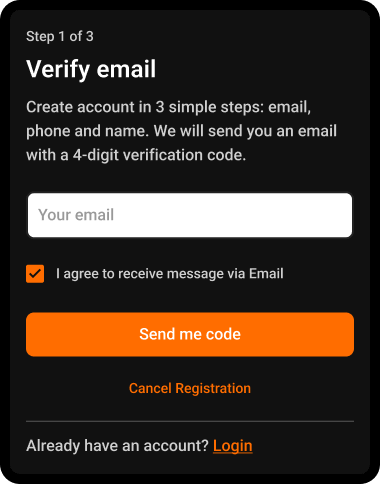
Step 3: Create your account by signing up with email.

Step 4: Enter a valid Email, check the box, and click on "Send me code".
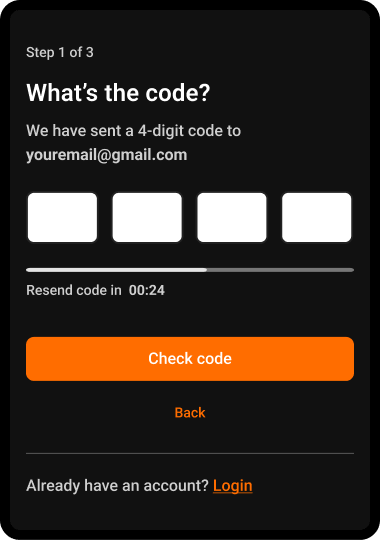
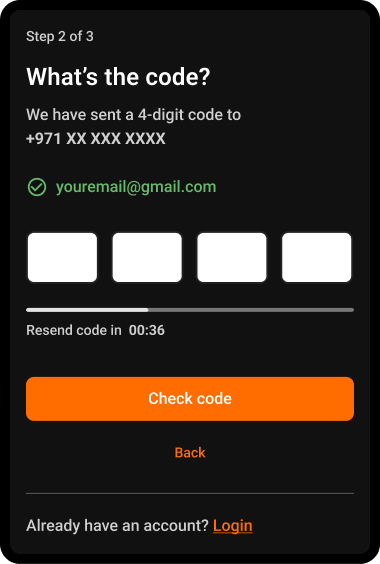
Step 5: Enter the code sent to your email.
Wait a few seconds for the code, then enter it and click the button below to verify.
If you didn’t receive the code, please click on "Resend code".
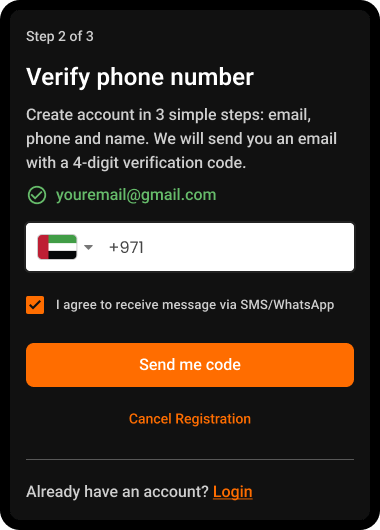
Step 6: Verify your phone number.
This verification happens only once during registration.
After registering, you'll be logged in automatically and stay logged in until you manually log out.
Next time, just enter your email and a verification code will be sent for login confirmation.
Step 7: Enter the code sent to your phone.
Wait a few seconds for the code, then enter it and click the button below to verify.
If you didn’t receive the code, click "Resend code".
Step 8: Enter your name, read and agree to our policies.
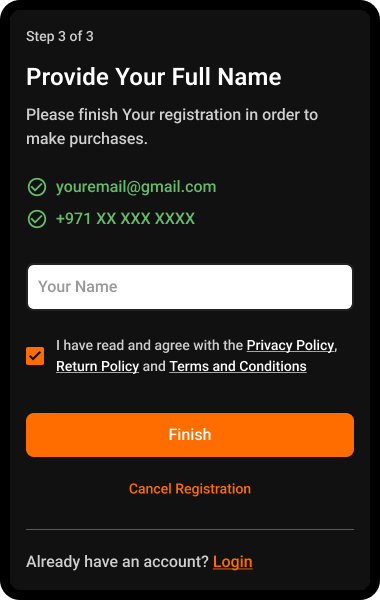
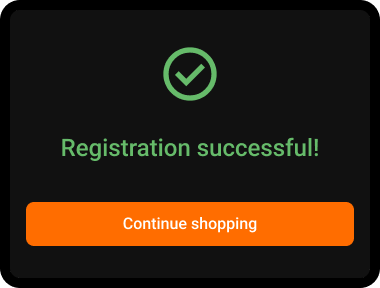
Congratulations! You've successfully registered and can start placing your orders.