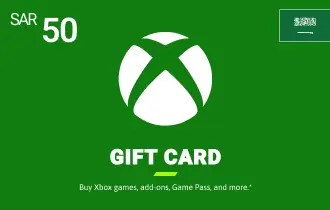
Xbox Gift Card KSA 50 SAR
Xbox KSA Gift Cards provide access to games, add-ons, and subscriptions. A perfect gift for gamers to enjoy Xbox exclusives, multiplayer adventures, and in-game content, enhancing their gaming experience with endless entertainment options.
Saudi Arabia
50 SAR
-2%
50 SAR
49 SAR





Xbox Gift Card KSA 50 SAR – Instant Digital Top-Up for Saudi Gamers
Elevate your gaming experience with the Xbox KSA 50 SAR Gift Card, available for instant digital delivery from ar-pay.
Designed for immediate use, it provides a convenient and secure way to access a wide array of digital products on your Xbox console, Windows PC, or through the Microsoft Store.
With a 50 SAR Xbox KSA Gift Card, you can dive into new gaming adventures, purchase downloadable content (DLC) to enhance your favorite titles, or even contribute towards a larger game purchase.
Whether you're treating yourself or gifting it to a friend or family member, the Xbox KSA 50 SAR Gift Card offers flexibility and instant access to the vibrant world of Xbox gaming and entertainment.
How to Redeem Your Xbox KSA Gift Card
Redeeming your Xbox KSA Gift Card is quick and easy, allowing you to access your new content without delay. Follow these steps based on your device:
Redeem a code on Xbox One, Xbox Series X, and Xbox Series S:
- Sign in to your Xbox console (ensure you are signed in with the Microsoft account you wish to redeem the code with).
- From the Home screen, select and open the Store app. (If the Store app is not displayed, go to My games & apps, select Apps, and select the Store app from there.)
- In the Store app, move the cursor left or press the View button to open the side menu, then select Redeem.
- Enter the 25-character code, and then follow the instructions.
Redeem a code Using an Android or iOS mobile device:
- Go to the link:https://redeem.microsoft.com.
- Enter the 25-character code, and then follow the instructions.
Redeem a code on Windows 10/11:
- Sign in to your Windows device (ensure you are signed in with the Microsoft account you wish to redeem the code with).
- Press the Start button, type store, then select Microsoft Store.
- Select More … > Redeem a code.
- Enter the 25-character code, and then follow the instructions.
Terms and Conditions
- Validity: Xbox KSA Gift Cards have no expiration date and remain valid indefinitely.
- Redemption: Redeemable via a Microsoft account registered in Saudi Arabia for use on Xbox, Windows Store, and Microsoft Store (KSA region).
- Refunds/Exchanges: These cards are non-refundable and not redeemable for cash, except where legally required. Once redeemed, the balance is tied to a specific Microsoft account and is non-transferable.
- Restrictions: Region-locked to KSA. Balance cannot be transferred between accounts. Cannot be used to purchase other gift cards. Not reloadable or resellable without authorization.
- Liability: Microsoft is not responsible for lost, stolen, or unauthorized use of cards. Customers are responsible for securing their accounts.
- Customer Support: Available via Microsoft Support Portal: https://support.microsoft.com/en-us
Disclaimers: Microsoft reserves the right to suspend accounts, cancel balances, or refuse service in cases of fraud, abuse, or policy violations.
For full terms and conditions, please visit the Microsoft Support Portal.