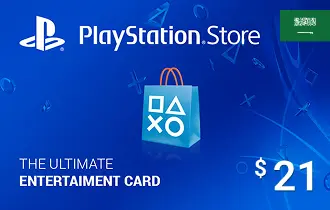
PlayStation Store KSA $21
Experience nonstop gaming with the PlayStation Store KSA Gift Card from ar-pay. Instantly top up your wallet to download games, add-ons, and entertainment with total ease.
$21




PlayStation Store KSA $21 Gift Card – Instant Access to Premium Gaming
Get ready to take your gaming experience to the next level with PlayStation Store KSA $21 gift cards from Ar-Pay. Our online store offers a wide range of PlayStation Network Cards that can be used to purchase digital content, download games, and enjoy exclusive discounts on the PlayStation store. Whether you are looking to buy a new game or add funds to your gaming account, our PlayStation gift cards are the perfect solution. Simply redeem the unique code on the back of the card and start playing your favorite games. Available for purchase online at Ar-Pay.
How to Redeem Your PlayStation Store KSA Gift Card
You can redeem your KSA PlayStation gift card through the website, console, or PlayStation App. Just follow the steps that match your device:
Option 1: Redeem Online via PlayStation Store
- Visit PlayStation Store and log into your account.
- Click your profile at the top right and choose Redeem Code.
- Enter your 12-digit code and select Continue.
- The credit or content will be applied to your account.
Option 2: Redeem on PS5 Console
- Open PlayStation Store and press the Triangle button to open the menu.
- Go to More (•••) > Redeem Code.
- Enter the 12-digit code and select Redeem.
- Select Download if content is available for download.
You can also redeem during checkout by selecting Redeem Codes and Gift Cards from the payment method options.
Option 3: Redeem on PS4 Console
- Go to PlayStation Store, scroll down, and select Redeem Codes.
- Enter the 12-digit code and select Continue > Confirm.
- If applicable, select Download to begin content installation.
Option 4: Redeem via PlayStation App
- Open the app and tap the PS Store icon.
- Tap the Menu icon and choose Redeem Code.
- Enter the 12-digit code and tap Continue.
- The credit or content will be applied to your account.
Note: Make sure your PSN account is registered in Saudi Arabia to redeem KSA region gift cards successfully.
Terms and Conditions
For full terms, please visit: https://www.playstation.com/en-sa/legal/sen-voucher-code-terms-and-conditions/