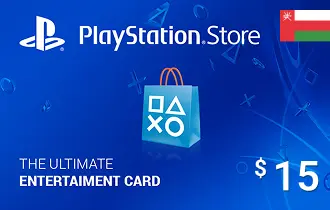
PlayStation Store KSA $50
Experience nonstop gaming with the PlayStation Store KSA Gift Card from ar-pay. Instantly top up your wallet to download games, add-ons, and entertainment with total ease.
Saudi Arabia
$50
187.66 SAR




Fuel Your PlayStation Adventures with the KSA $50 Gift Card
Power up your gaming experience with the PlayStation Store KSA $50 Gift Card, available now at ARPay. Whether you’re eyeing the hottest new titles, game add-ons, or exclusive PlayStation deals, this digital card gives you direct access to everything the PlayStation Store has to offer in Saudi Arabia.
Say goodbye to waiting for deliveries—this card arrives straight to your inbox and can be redeemed instantly. It's the smart, secure way to add funds to your PlayStation wallet or surprise a fellow gamer with the ultimate gift.
What Makes the PlayStation Store KSA $50 Gift Card a Must-Have?
- Instant Gaming Freedom: Get immediate access to games, add-ons, subscriptions, and more—no physical card needed.
- Region-Specific Content: Perfectly tailored for gamers in Saudi Arabia with localized offers and content.
- No Credit Card? No Problem: Easily top up your PlayStation account without linking a bank or card.
- Gamer-Approved Gift: Great for birthdays, holidays, or just because—let your favorite gamer choose their own adventure.
- Safe and Easy Purchase: Shop with confidence at ARPay and receive your digital code securely and instantly.
Take your gameplay further with the PlayStation Store KSA $50 Gift Card and enjoy seamless access to the best in digital entertainment—all from the comfort of your home.
How to Redeem Your PlayStation Store KSA Gift Card
You can redeem your KSA PlayStation gift card through the website, console, or PlayStation App. Just follow the steps that match your device:
Option 1: Redeem Online via PlayStation Store
- Visit PlayStation Store and log into your account.
- Click your profile at the top right and choose Redeem Code.
- Enter your 12-digit code and select Continue.
- The credit or content will be applied to your account.
Option 2: Redeem on PS5 Console
- Open PlayStation Store and press the Triangle button to open the menu.
- Go to More (•••) > Redeem Code.
- Enter the 12-digit code and select Redeem.
- Select Download if content is available for download.
You can also redeem during checkout by selecting Redeem Codes and Gift Cards from the payment method options.
Option 3: Redeem on PS4 Console
- Go to PlayStation Store, scroll down, and select Redeem Codes.
- Enter the 12-digit code and select Continue > Confirm.
- If applicable, select Download to begin content installation.
Option 4: Redeem via PlayStation App
- Open the app and tap the PS Store icon.
- Tap the Menu icon and choose Redeem Code.
- Enter the 12-digit code and tap Continue.
- The credit or content will be applied to your account.
Note: Make sure your PSN account is registered in Saudi Arabia to redeem KSA region gift cards successfully.
Terms and Conditions
For full terms, please visit: https://www.playstation.com/en-sa/legal/sen-voucher-code-terms-and-conditions/