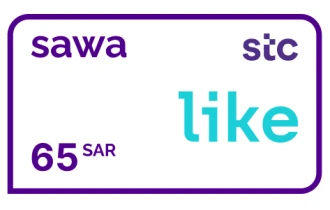
STC Sawa Packages KSA Like 65 SAR
Stay online, play games, and connect with loved ones using STC Sawa Packages KSA gift cards—simple, fast, and reliable.
Saudi Arabia
Like 65 SAR
1




Buy STC Sawa Packages KSA Like 65 SAR Gift Card Now
Experience the freedom with your favorite STC Sawa Packages KSA Like 65 SAR Gift Card. This rechargeable card can be used to recharge your package easily. With the STC Sawa Packages KSA Like 65 SAR Gift Card, you can gift your loved ones the freedom to choose the communication services that suit them best.
Features:
- Rechargeable: Recharge the card with your preferred amount.
- Usable for any STC package: Use the card to purchase your STC package.
- Easy to use: Activate the card easily through the website or app.
- Valid for 365 days: Use the card within 365 days of purchase.
- Transferable: Gift the card to your loved ones as a valuable present.
How to redeem?
You can recharge STC Sawa through different methods:
- Dial *155* → enter your recharge voucher number → press # then Call
- Send an SMS message to 900 with: Recharge number (space) 155
- Call 1500, select recharge from the list, then insert the recharge card code
- Using MySTC application for smart devices
- Through Sawa website my.STC.com.sa/
- Using Sawa recharge page, then enter your mobile number and your code www.STC.com.sa/wps/wcm/connect/english/individual/mobile/prepaid/Charging-Sawa
How to recharge monthly Sawa packages and Sawa Plus packages:
Press *755* → followed by your recharge card number → then press # then call
How to charge Sawa from postpaid:
- Send a message to (900) containing (*144*).
- Enter the Sawa mobile number that you want to recharge.
- Add (*) then type the amount value and add (#).
How to check sawa balance:
To check the balance - dial *166#
Yes, Sawa gift cards expire 6 months from the date of purchase. This means that you have 6 months to use the balance on your Sawa gift card before it expires. Expired Sawa gift cards cannot be extended, exchanged, or refunded.
To check the expiration date on your Sawa gift card, you can look on the back of the card. The expiration date is usually located in the bottom right corner. You can also call Sawa customer service at 800-843-7297 to check the expiration date on your gift card.
Yes, Sawa gift cards are region-specific. This means that a Sawa gift card purchased in one country cannot be redeemed in another country. The Sawa website lists the countries where Sawa gift cards can be redeemed. To see if a Sawa gift card can be redeemed in your country, you can visit the Sawa website and enter the gift card number. The website will then tell you if the gift card can be redeemed in your country.
If you have a Sawa gift card that cannot be redeemed in your country, you can try to sell it online or to a local retailer. You can also try to contact Sawa customer service.
There are four ways to redeem a Sawa gift card:
Dial 155: Enter the 14-digit gift card code followed by the # sign. Then, press the call button.
Send an SMS: Send a message to 900 with the following format:
Recharge number (space) 155: For example, if you want to recharge your number 0500000000 with the Sawa gift card, you would send the following message:
Recharge 0500000000 155
Call 1500: Select the "Recharge" option from the menu and enter the 14-digit gift card code.
Redeem online: Visit the Sawa website and enter the 14-digit gift card code. Then, select the amount you want to redeem and click on "Redeem".
There are three ways to check your Sawa gift card balance:
*Dial 166#: This is the Sawa USSD code for checking your balance. When you dial this code, your current balance will be displayed on your screen.
Send an SMS: Send an SMS to 900 with the following format:
Balance (space) 14-digit gift card code: For example, if your gift card code is 1234567890123456, you would send the following message:
Balance 1234567890123456
Call 1500: Select the "Balance" option from the menu and enter the 14-digit gift card code.
You can also check your Sawa gift card balance online by visiting the Sawa website and entering the 14-digit gift card code.
Sawa gift cards can be used to purchase Sawa mobile services, such as:
Mobile calls: Sawa gift cards can be used to make local and international calls.
SMS: Sawa gift cards can be used to send SMS messages.
Data: Sawa gift cards can be used to purchase data bundles.
Other services: Sawa gift cards can also be used to purchase other services, such as ringtones and games.
Sawa gift cards can be redeemed at:
STC retail outlets: STC retail outlets are located throughout Saudi Arabia.
STC online store: The STC online store allows you to redeem your Sawa gift card and purchase Sawa mobile services.
Unfortunately, you cannot add a Sawa gift card to your Wallet app. The Wallet app is only compatible with certain types of gift cards, such as Visa, Mastercard, and American Express gift cards. Sawa gift cards are not issued by Visa, Mastercard, or American Express, so they cannot be added to the Wallet app.
However, you can still use your Sawa gift card to make purchases. You can either redeem the gift card online or over the phone. To redeem your gift card online, go to the Sawa website and enter the gift card code. To redeem your gift card over the phone, call 1500 and select the "Recharge" option.
There are several ways to contact Sawa gift card customer support:
By phone: Call 1500 from your Sawa number.
By SMS: Send an SMS to 900 with the following format:
Sawa (space) your query: For example, if you want to ask about the balance on your Sawa gift card, you would send the following message:
Sawa balance
Through the Sawa website: Visit the Sawa website and click on the "Contact Us" link.
Through the Sawa social media channels: Sawa is active on Twitter, Facebook, and Instagram. You can contact them through these channels.
No, Sawa gift cards will not ask you to add additional payment details. Sawa gift cards are prepaid cards that can be used to purchase Sawa mobile services. They are not credit or debit cards, and they do not have any associated credit or debit card information.
When you redeem a Sawa gift card, you will need to provide the gift card number and the PIN code. You will not need to provide any other payment information.
If the balance on your Sawa gift card is not enough to cover your purchase, you may be able to use a credit or debit card to pay the remaining balance.
Currently, there is no way to buy Sawa gift cards with PayPal directly. However, there are a few third-party websites that sell Sawa gift cards and accept PayPal as payment, such as:
G2A - SeaGM - OffGamers
When you buy a Sawa gift card from one of these third-party websites, you will be sent a code that you can redeem on the Sawa website or app.
It is important to note that when you buy a Sawa gift card from a third-party website, you may be charged a processing fee. You should also be sure to check the website's policies to make sure that the gift card is legitimate and that you will be able to redeem it without any problems.
Yes, you can send a Sawa gift card voucher as a gift. There are a few ways to do this:
Buy a physical Sawa gift card and mail it to the recipient. You can buy physical Sawa gift cards at select retailers in Saudi Arabia. Buy an e-Sawa gift card and send it to the recipient via email or SMS. You can buy e-Sawa gift cards from the Sawa website or app. Buy a Sawa gift card voucher from a third-party website and send it to the recipient. There are a few third-party websites that sell Sawa gift cards. No matter how you choose to send a Sawa gift card voucher, be sure to include a personal message with the gift.
No, you cannot use a Sawa gift card for Family Sharing purchases. Family Sharing is a feature that allows you to share your Apple ID subscription services, like Apple Music, Apple TV+, and Apple Arcade, with up to five family members. However, Sawa gift cards are not considered a subscription service, so they cannot be shared through Family Sharing.
If you want to share your Sawa gift card with someone else, you can either give them the physical card or the redemption code. They can then redeem the gift card on their own Sawa account.
There are many things you can buy with a Sawa gift card. Here are a few ideas:
Mobile calls: You can use your Sawa gift card to make local and international calls.
SMS: You can use your Sawa gift card to send SMS messages.
Data: You can use your Sawa gift card to purchase data bundles.
Other services: You can also use your Sawa gift card to purchase other services, such as ringtones and games.
Subscriptions: You can use your Sawa gift card to subscribe to Sawa's various subscription services, such as Sawa Music.
Gifts: You can also use your Sawa gift card to purchase gifts for friends and family.
Here are the steps on how to use a Sawa gift card:
Check the balance: Before you can use your Sawa gift card, you need to check the balance. You can do this by dialing *166# or by sending an SMS to 900 with the message "Balance (space) Gift Card Number."
Redeem the gift card: Once you have checked the balance, you can redeem the gift card. You can do this by dialing *155# or by visiting the Sawa website or app.
Make your purchase: Once you have redeemed the gift card, you can use it to make purchases from any Sawa retailer.
You do not need any kind of account to redeem your Sawa gift card. You can redeem it at any STC retail outlet in Saudi Arabia or online at the Sawa website or app.
However, if you want to track your Sawa gift card balance or make purchases online, you will need to create a Sawa account. You can create a Sawa account on the Sawa website or app.
Here are the steps on how to create a Sawa account:
Go to the Sawa website or app.
Click on the "Create an Account" button.
Enter your mobile number and email address.
Create a password.
Click on the "Create Account" button